The Configuration section in the Omnium admin interface is where you tailor the platform to match your business needs. It provides access to essential settings that define how your environment behaves – from which languages are available to how orders are processed.
Whether you're just getting started or making adjustments to support a new market or update product settings, this section is the foundation for aligning the platform with your operational setup.
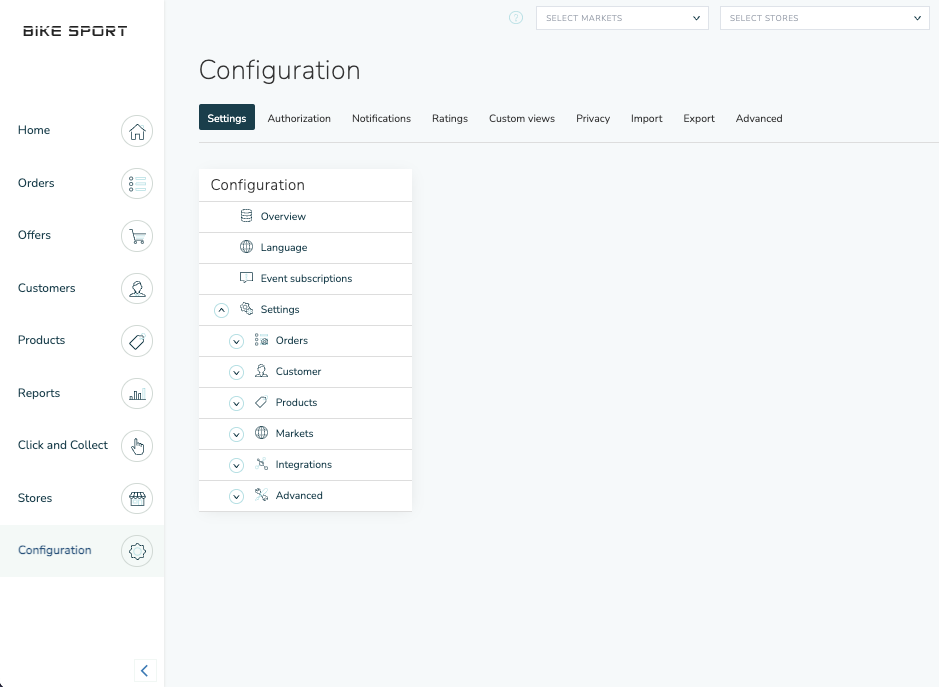
Key Areas in Configuration
Here’s a quick overview of the main configuration areas you’ll find:
Languages
Set up and manage the languages supported across your store or customer-facing channels. This includes content translation for product data.
Markets
Define which markets you operate in, and configure localized settings like currencies, tax rules, and delivery methods per market. This is essential for businesses selling internationally.
Orders
Adjust settings related to order types, order statuses, and workflows. For example, you can define how an order flows through various states — from creation to fulfillment.
Customers
Control customer-specific settings.
Products
Manage default product configurations, such as attribute handling, category structure, inventory behaviors, and PIM-related options.
Notification Templates
Create and manage email and SMS templates for automatic messages triggered by events like order confirmation, shipment, or return updates.
Each template can be customized by language and channel, and linked to specific workflow steps.
Tips Before You Start
Most settings require save + publish to take effect.
Some changes may impact how data is displayed in other parts of the admin interface — always test in a staging environment if unsure.
Permissions may vary: Some settings may only be visible to users with admin-level access.